This Blog is intended to share ideas and experiences with other early adopters of LEGO WeDo kit, individuals or institutions.
WeDo is a trademark of Lego Company.
Questo Blog ha come scopo condividere informazioni con altri privati o scuole che stiano iniziando ad usare il kit weDo della Lego
Below a small video and photos of the Activity Pack Crocodile (very fun). This time all done by Pietro and his friend Gabriele, without any help and with the disturbance of 2 small brothers.
Qui sotto video e foto dell'attività con coccodrillo (simpatica). Questa volta fatto da Pietro ed il suo amico Gabriele, con il "contributo" dei 2 fratelli minori, senza nessun aiuto .
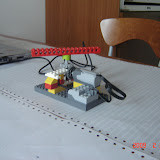
A small example of first trial of helicopter using WeDo.
Mechanical design and manufacturing Pietro, SW Fabio.
Un piccolo esempio di prototipo elicottero con WeDO, idea e costruzione Pietro, SW Fabio.
Useful to explain how to change direction of rotation using a gear.
Utile per mostrare come usare un ingranaggio per cambiare direzione del moto.
see the photos
vedi le foto
And the videos
ed i video
I programmi per farlo funzionare
The program to make it work
Facile/Easy
With this the speed increase from 0 to 10 and then remains there (almost)
Con questo la velocità cresce da 0 a 10 e rimane fissa + o meno
With this the speed goes down to 0
Con questo la velocità decresce da 10 a 0 e rimane fissa + o meno
We have tried but failed in joining the 2 using the tilt sensor to increase and decrease speed without stopping the program, any idea?
Abbiamo provato ma non siamo riusciti a metterli insieme, volevamo usare il sensore di inclinazione per aumentare o diminuarie velocità ma non siamo riusciti avete qualche idea?
We have created something from scratch not following the Activity Pack.
So for this we can share all!!
Is just a swing that operates with a single kid
here is the program and below you will find the link to the video and also to some photos with the details, sorry if is not like the Lego building instructions.
The program activates the swing and in parallel play a sound using a cycle, both launched by pressing the A keystroke.
Enjoy it
Fabio&Pietro
Abbiamo creato qualcosa di nuovo, non parte dell'Activity pack. Così possiamo condividere tutto!
Sopra il programma e sotto video e l'album con le foto, i dettgali non sono come le istruzioni lego ma con un pò di pazienza si riesce a copiarlo. Il programma semplicemente attiva l'alatlena, e , con un ciclo, esegue il suono 5 (boing). Entrambi sono attivati dalla pressione del tasto A.
I checked in the guide but there was not a defined way to save the project with a name.
This could have been done to simplify the interface, but if the system is used by different group of students could be useful they can retrive their work.
Only way is to change the name directly in the directory where has been saved on pc or reopening the list of project and then change in the window showing the list.
Ho cercato nella guida come rinominare un file di progetto, non c'è un modo del tipo "salva con nome" probabilmente per semplificare l'interfaccia.
L'unico modo è cambiare nome del file, nella directory dove viene salvato. Può essere utile specie se lo stesso pc è usato da più studenti con lo stesso account, come credo sia la normalità.
1) The system is basically with zero programming, simply starting the motor and the different behaviour is obtained by the "mecahnics". This is in itself surprising the children that after some brick building expects and equivalent programming effort to animate it.
2) The gorilla works fine if the "glasses" are at the right height, but because seem taht are various meauseers, the Gorilla was not high enough to plyy the drums. Again inetresting to see the reaction to the small unexpected problem, so much that i suggest you select on purpose drums not of the right size.
Questo è molto interessante per 2 ragioni:
1) Il gorilla non prevede praticamente programmazione, solo la partenza del motore, i differenti comportamenti sono ottenuti agendo sulle camme. Questo sorprende i bambini che dopo una fase di costruzione si aspettano una di equivalente difficoltà per programmarlo.
2) Il gorilla funziona bene se ha una altezza corretta rispetto ai bicchieri. Nel nostro caso non è successo, ed è interessante veder l'effetto di questo piccolo imprevisto, tanto che consiglierei di scegliere apposta una misura di bicchiere non corretta per vedere come ne escono.
here below the videos that you can find with the others on the wedouser channel on youtube
I received some comments from another WeDo user about the information on programming.
I have both the Sw and the activity pack, the pack includes also the "teacher guide".
This guide actually has informations about the programming "language", example and general info on the enviroment, where are the icons and what they do. This part (and not the activities), I would have expected to find them with the SW only CD. Having the SW but not these info i believe is making fairly complicated to start using the system.
Clearly the product is not designed for family but for schools and thus is probably expected that the activity pack is bought anyaway, but this doesn't change the fact is a strange commercial choiche.
If someone has more info, like we have missed something in the SW Cd comments will be welcome!!
A question withou the activity pack installed what is shown in the "brick" tab here on the right?
Dear All here a little program that should help setting back the Giant to sleep-infact the Sleeping Giant has not indicated a way to set it back. (no big programming ;-)
run this multiple time
Carissimi a chi può interessare qui sopra un programmino per rimettere il gigante a dormire, lanciatelo un pò di volte fino a che si riposiziona.



 Post


